FrostHollow RPG Controls
Official movement and defense inputs explained for real combat, not just a key list.
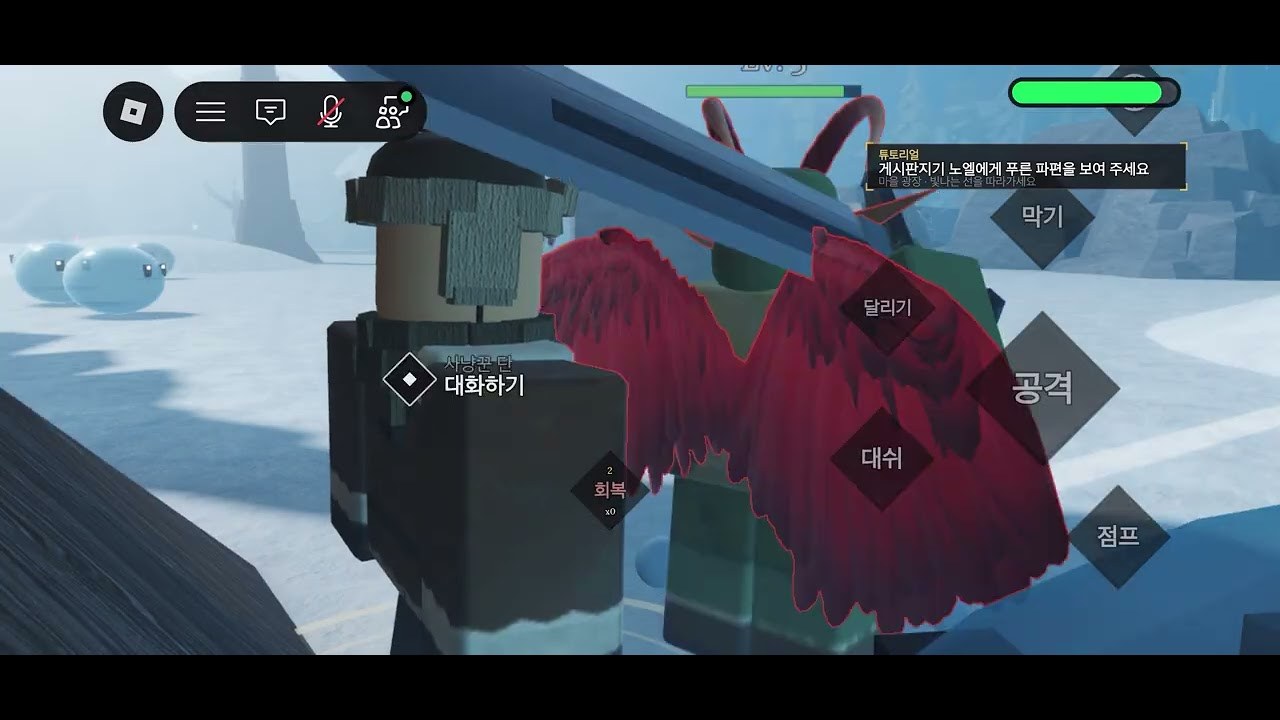
The FrostHollow RPG Roblox page publishes a compact control sheet. This guide expands each line into practical habits so you can fight in the Action RPG beta without staring at the keyboard. Pair it with Combat Basics once the bindings feel automatic.
Official reminders from the game description:
- Q to Dash
- Sprint (default sprint key)
- Change Alt to Shift-Lock
- F to Block
- Press M to Open Map
Those five lines cover most early deaths and most early success.
Control reference table
| Input | Action | When to use |
|---|---|---|
| Q | Dash | Dodge telegraphs, close gaps, cancel bad positioning |
| Sprint key | Sprint | Rotate between packs, reposition, retreat to heal windows |
| Alt → Shift-Lock | Camera lock toggle guidance | Stabilize aim during circling fights |
| F | Block | Cover hits you cannot dash; reduce chip while learning patterns |
| M | Map | Orient after spawns, plan fragment routes, find quest markers |
| LMB / attack | Light offense | Default strikes between defensive tools |
| Roblox menu | Escape / settings | Rebind comfort options if your device needs them |
Exact attack bindings follow standard Roblox Action RPG conventions and may vary slightly by device. Always confirm in the live beta client—builds from v0.44 to v0.54.x can nudge UI even when core keys stay stable.
Q — Dash
Dash is your primary safety and tempo button. Tap Q to slip sideways when an enemy winds up, or to re-enter after a missed punish. Common mistakes:
- Dashing straight into the boss hitbox
- Burning dash on cooldown before a real threat
- Forgetting dash exists because sprint feels faster
Drill: fight a weak pack using only sprint + dash + two hits, no panic mash. Then add block. This builds the muscle memory the getting started checklist expects.
Sprint
Sprint covers distance that dash should not waste. Use it to:
- Travel between quest markers visible on the M map
- Soft disengage when block stamina or timing feels wrong
- Circle golem arenas while farming rune fragments
Do not sprint lock yourself into walls. In MorphToR6 movement, camera collisions happen—Shift-Lock helps.
Alt to Shift-Lock
The description’s “Change Alt to Shift-Lock” line means players are encouraged to use Shift-Lock style camera for combat readability. If your character circles enemies while your camera drifts, enable Shift-Lock (or the experience’s equivalent toggle often accessed near Alt/Shift behaviors) until tracking feels locked to facing.
Controller and mobile players should hunt the on-screen lock or settings toggle that mirrors this advice. Camera comfort matters more when testing Twilight’s higher execution demand on the race tier list.
F — Block
Block is the difference between “beta looks hard” and “beta feels fair.” Hold or tap F according to the live animation rules you observe:
- Block when dash is on cooldown
- Block chip strings while learning a new enemy
- Release to punish, do not turtle forever
If you never block, dash alone will eventually fail on denser packs. Combat pages go deeper, but the binding itself must be reachable without looking down.
M — Map
Open M after every teleport, death, or confusing chase. FrostHollow’s world readability improves dramatically when you glance at paths before committing sprint. Map checks also prevent wasting fragment farm time walking the wrong ridge.
Device-specific notes
Keyboard / mouse
Keep left hand on Q, F, sprint, and movement; right hand on camera and attack. Remap only if a disability or hardware issue requires it—shared guides assume the official defaults.
Mobile
Expect on-screen buttons for dash and block. Reduce UI clutter in Roblox settings if thumbs miss F equivalents. Paste codes carefully after fights; see how to redeem.
Mixed input
If you hot-swap controller and keyboard mid-session, reaffirm Shift-Lock and sprint behavior before entering a tough camp.
Practice routine (5 minutes)
- Open map (M), pick a nearby loop.
- Sprint there without attacking.
- Dash through the first pack once each.
- Block one hit on purpose.
- Clear the pack cleanly.
- Redeem or double-check FROSTLIKE if you have not yet (Codes Hub).
Related systems
Controls enable everything else: race expression in races and tribes, loadouts on starter build, and staying safe while ignoring fake scripts. When patches rearrange menus, the physical keys above are the durable layer—re-read this page after major notes on the Updates Hub.
Master these five inputs and FrostHollow RPG stops feeling cryptic. Everything after is timing, routing, and smart resource spends.
Frequently Asked Questions
Quick answers to the most common FrostHollow RPG questions.
What is the dash key in FrostHollow RPG?
Q dashes. Use it to avoid telegraphs and reposition, not only to run faster than sprint.
How do I block?
Press F to block. Combine it with dash so you still have a defense option when Q is unavailable.
How do I open the map?
Press M. Check it after spawns and before planning rune fragment routes.
What does Change Alt to Shift-Lock mean?
The official description encourages Shift-Lock style camera for combat. Enable the lock that keeps facing aligned while you circle enemies.