How to Redeem FrostHollow RPG Codes
Exact redeem flow for FROSTLIKE, troubleshooting failed claims, and what to do after rewards land.
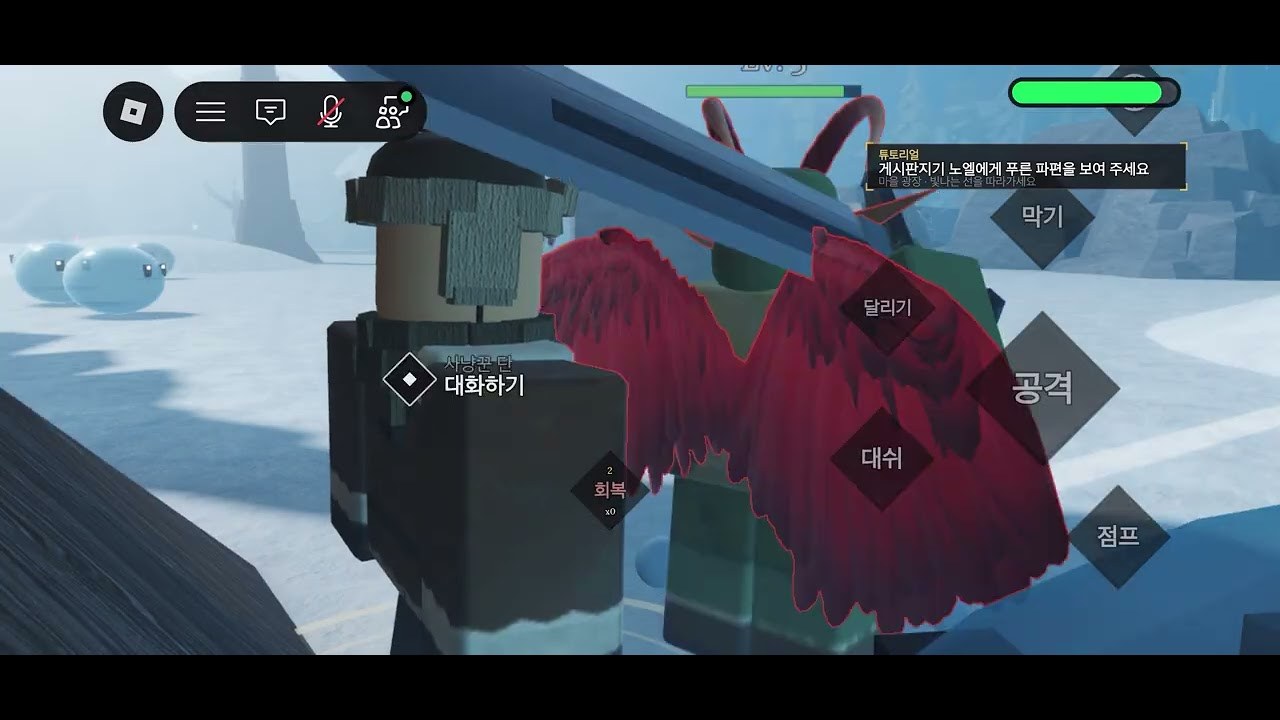
Promo codes in FrostHollow RPG are short strings the developer posts so players can claim free rewards during the Roblox Action RPG beta. This page walks through redemption from a cold start: joining the correct place, finding the code UI, entering FROSTLIKE, and recovering when nothing happens.
If you only need the live list, jump back to the Codes Hub. If you have not learned movement yet, keep Getting Started and Controls open in another tab so you can spend rewards immediately.
Before you redeem
- Use the official experience. Play URL: FrostHollow RPG on Roblox. Root place id 8420967717, universe id 3221349051.
- Finish loading. Wait until your avatar is controllable. Redeeming during a long teleport or character morph can silently fail.
- Copy the primary code. Prefer FROSTLIKE with no spaces and no trailing punctuation. Some mirrors show
FROSTLIKE!—treat that as a secondary attempt only. - Avoid risky tools. Do not paste codes into browser extensions, fake “auto redeem” sites, or script executors. See the Scripts Hub for why unverified executors can cost the account.
FrostHollow RPG remains a test beta (builds discussed publicly in the v0.44 → v0.54 range as of November 2026). UI labels can move between patches, so look for gift, shop, settings, or codes icons rather than memorizing one pixel position.
Step-by-step redeem
1. Launch and join a server
Open Roblox, search for FrostHollow RPG or use the official link above, then join. Servers hold up to 15 players and use MorphToR6, so give the experience a moment to apply the R6 morph and HUD.
2. Locate the codes entry
Scan the HUD edges for buttons commonly labeled Codes, Promo, Gift, Shop, or Settings. Action RPG betas often tuck redemption next to shop or menu wheels. If you cannot find it, open any menu that contains text fields or social rewards, then look for a dedicated Codes tab.
3. Open the text box
Select the codes option until a single-line input appears. Click into the field so the caret is visible. On mobile, tap once and wait for the on-screen keyboard.
4. Paste FROSTLIKE exactly
Paste FROSTLIKE in all caps. Codes are usually case-sensitive. Do not add spaces before or after the string. Press Redeem, Submit, or Enter—whatever the button label is in your build.
5. Confirm the reward
Watch for toast text, a modal, inventory flashes, or mail. If the UI says success but you see nothing new, reopen inventory and any temporary reward inbox. Then continue with starter build planning so the gift actually accelerates progression.
Troubleshooting failed codes
| Symptom | Likely cause | What to try |
|---|---|---|
| Instant invalid | Typo or wrong punctuation | Re-copy FROSTLIKE; only then try FROSTLIKE! once |
| No response | UI not focused / still loading | Click the field again, wait for full spawn, retry |
| Already redeemed | One-time code per account | Check inventory; you cannot re-claim |
| Works for friends only | Region, place mismatch, or stale private server | Rejoin public servers from the official page |
| Error after patch | UI moved or code rotated | Re-check Codes Hub and the official description |
Additional tips:
- Disable aggressive clipboard cleaners that strip characters.
- Avoid typing from memory on phones—autocorrect loves inserting spaces.
- After a major client update, fully leave and rejoin the experience once before blaming the code.
- Confirm you are not in a wrong place copy; always start from the official game page or group experiences list for FrostHollow RPG / Pinoki (coffee0508).
After a successful redeem
Spend the reward on the systems that matter in beta:
- Practice Q dash, sprint, F block, Alt-to-Shift-Lock, and M map from the controls guide.
- Learn spacing and defense in combat basics.
- Decide how race or tribe identity fits your playstyle via races and tribes and the race tier list.
- Start farming rune fragments from golems and quests when you can clear packs safely.
- Track balance swings on the updates hub so you know when a gift item becomes more or less valuable.
Finding new codes early
During beta, the developer often prints the newest string in the Roblox description (“Leave a like and enter the code …”). Check that text after like milestones and after version bumps noted in beta patch notes. Community mirrors help, but the official page remains the source of truth.
Also watch the Links Hub for the Roblox page and group entry points. This fan wiki is unofficial; announcements from the developer group override anything written here if they conflict.
Related pages
- Codes Hub — live active list
- Guides Hub — full tutorial map
- Players Hub — builds that spend rewards well
- Scripts Hub — why not to chase “auto redeem” executors
Redeem carefully, then invest time in mechanics. Codes are a head start; mastery still comes from dash timing, block discipline, race choice, and rune fragment loops.
Frequently Asked Questions
Quick answers to the most common FrostHollow RPG questions.
What is the exact code I should paste?
Paste FROSTLIKE first with no spaces. Only try FROSTLIKE! if the primary form fails once.
Why did my FrostHollow RPG code say invalid?
Usually a typo, wrong punctuation, an already-redeemed account, or redeeming before the character finished loading. Recopy and rejoin once.
Can I redeem codes on mobile?
Yes. Join the experience, open the codes UI, paste carefully, and watch for autocorrect inserting spaces.
Are code rewards permanent?
Rewards granted to your account normally stay, but beta wipe or rework risk exists in an active test build. Use them soon after redeeming.